Deleting Placeholder Data
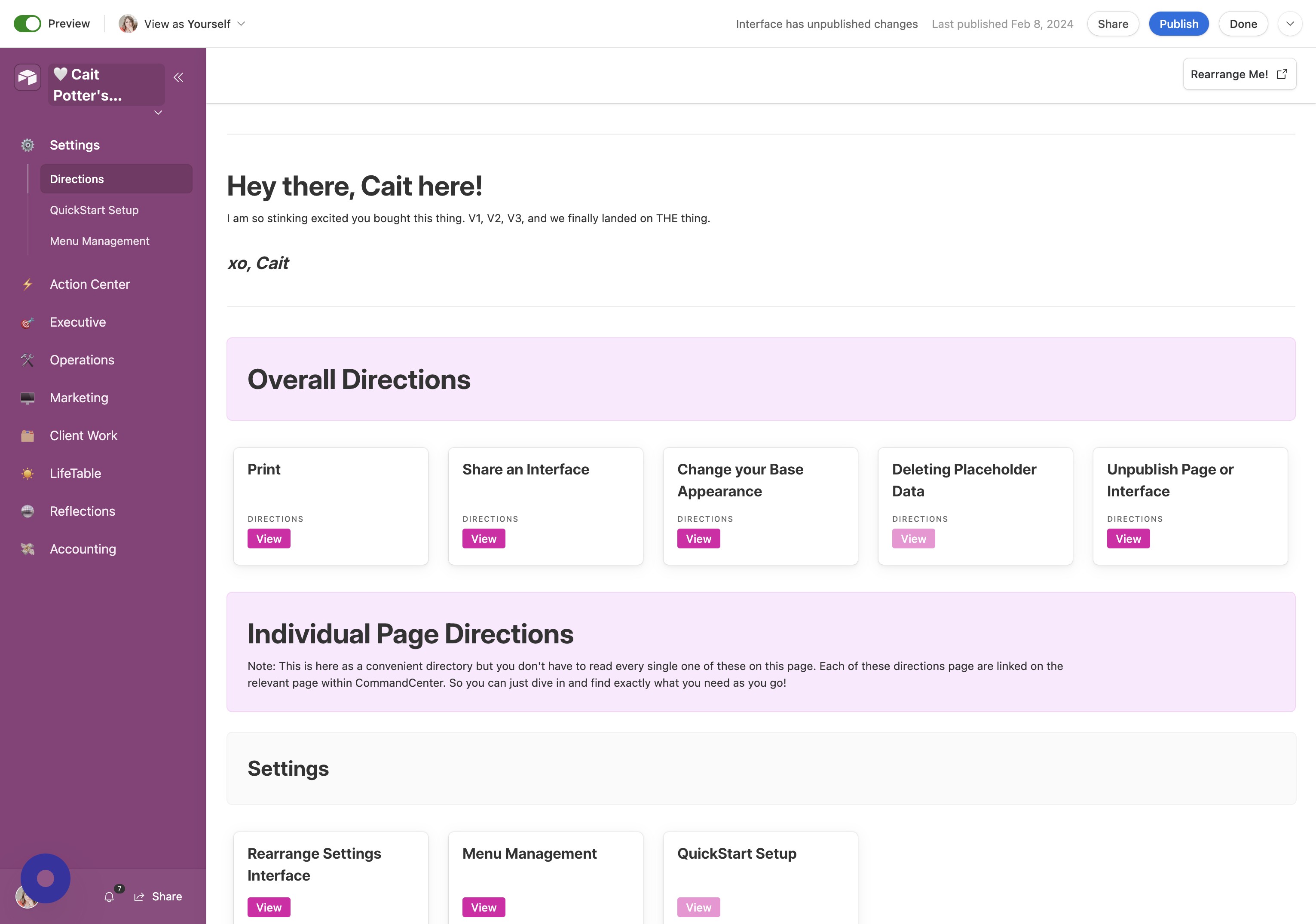
- Open Command Center Menu Click the arrow next to the title of your CommandCenter.
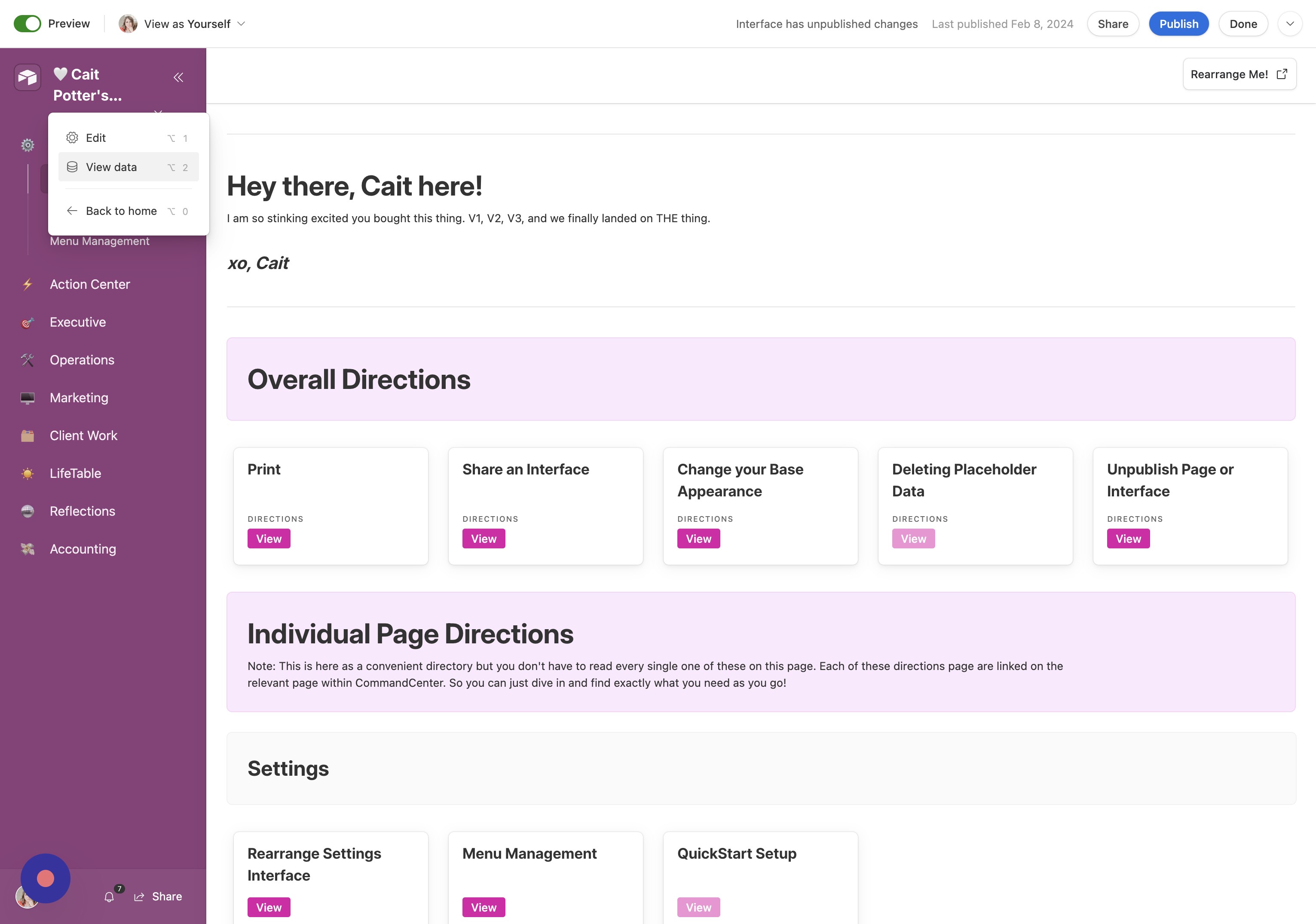
- Access Data View Click "View data".
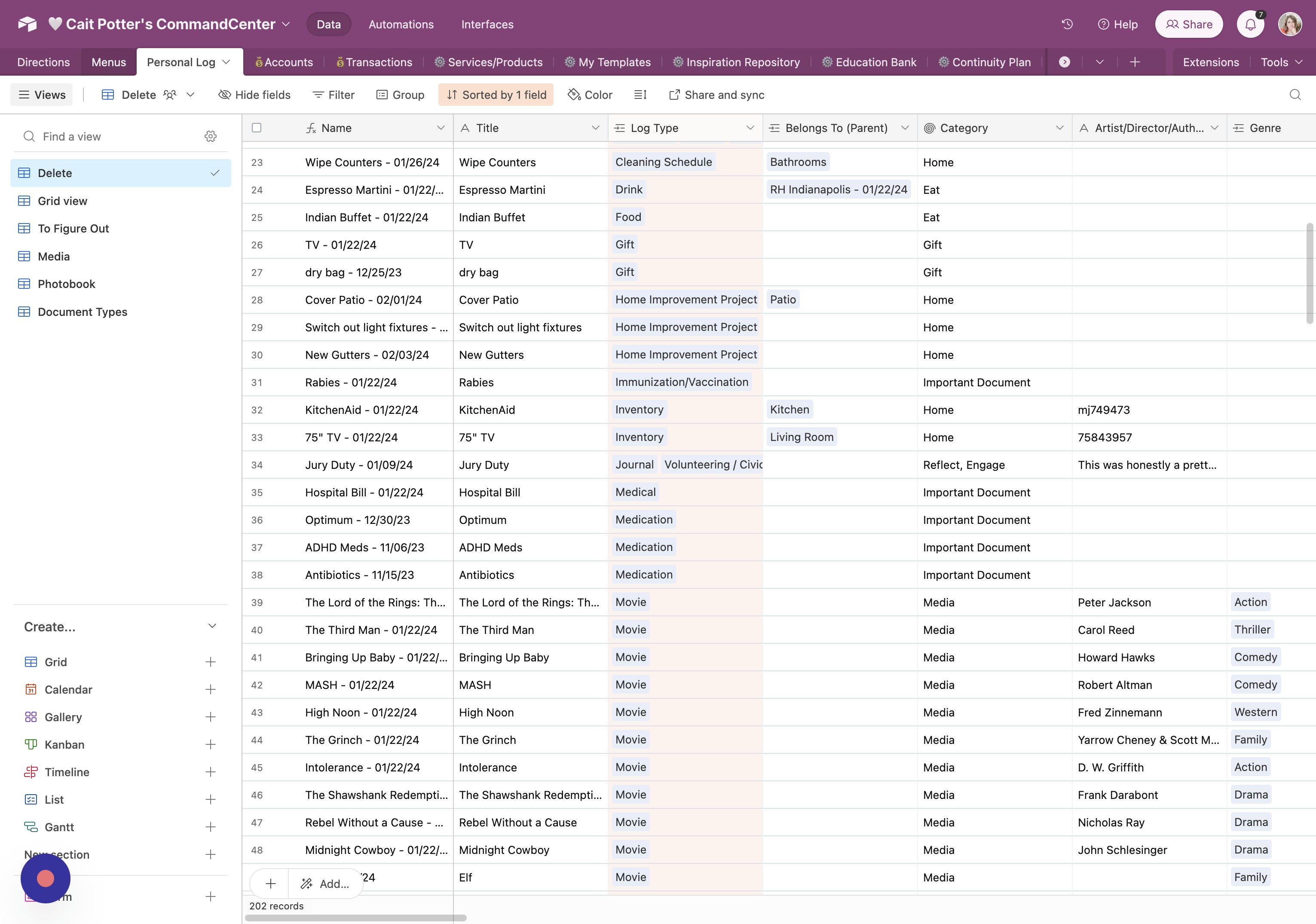
- Go to Menus Tab Start on the "Menus" tab.
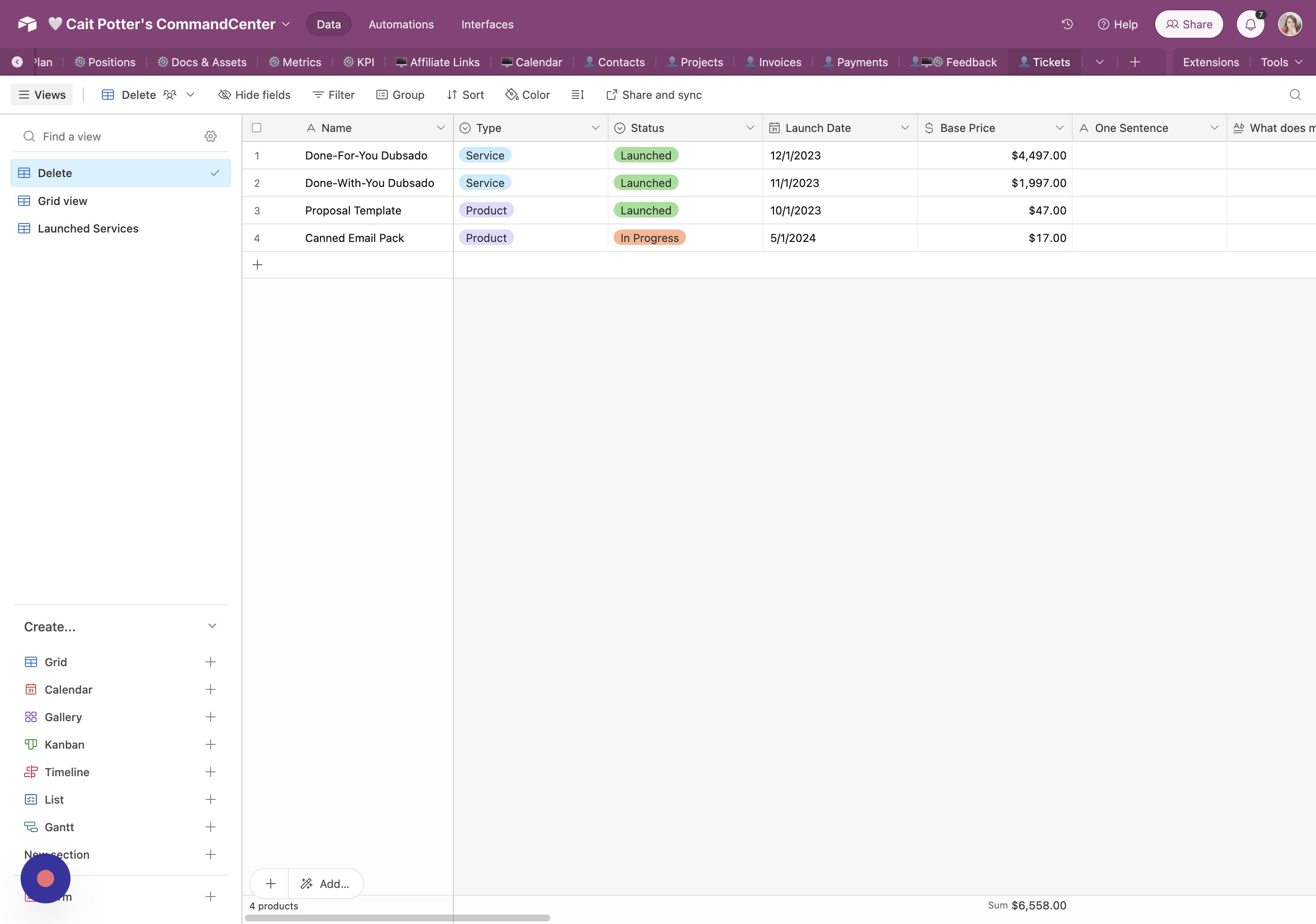
- Review Default View Each tab includes a default view (often labeled "Delete"). Keep any preloaded data you find useful.
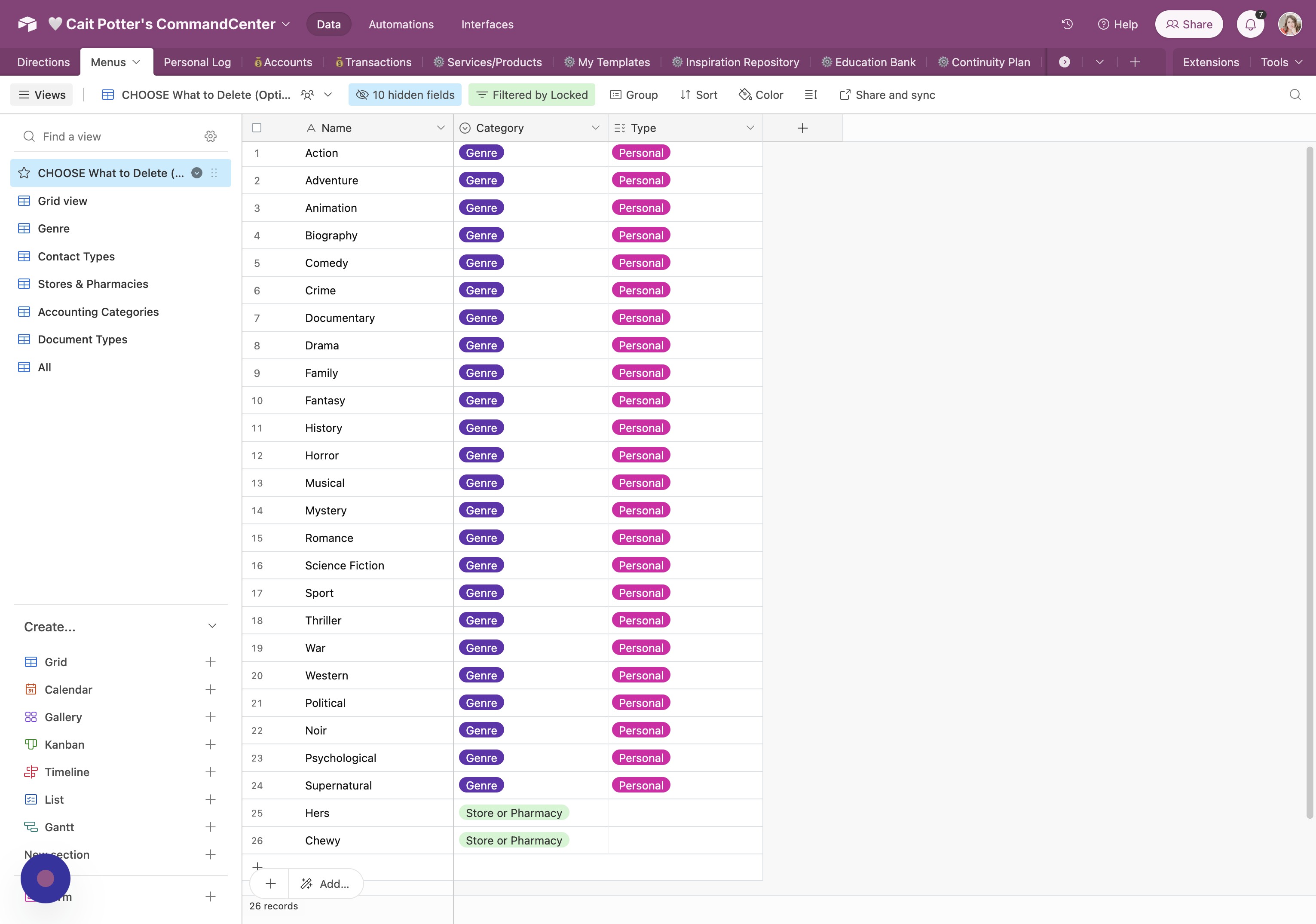
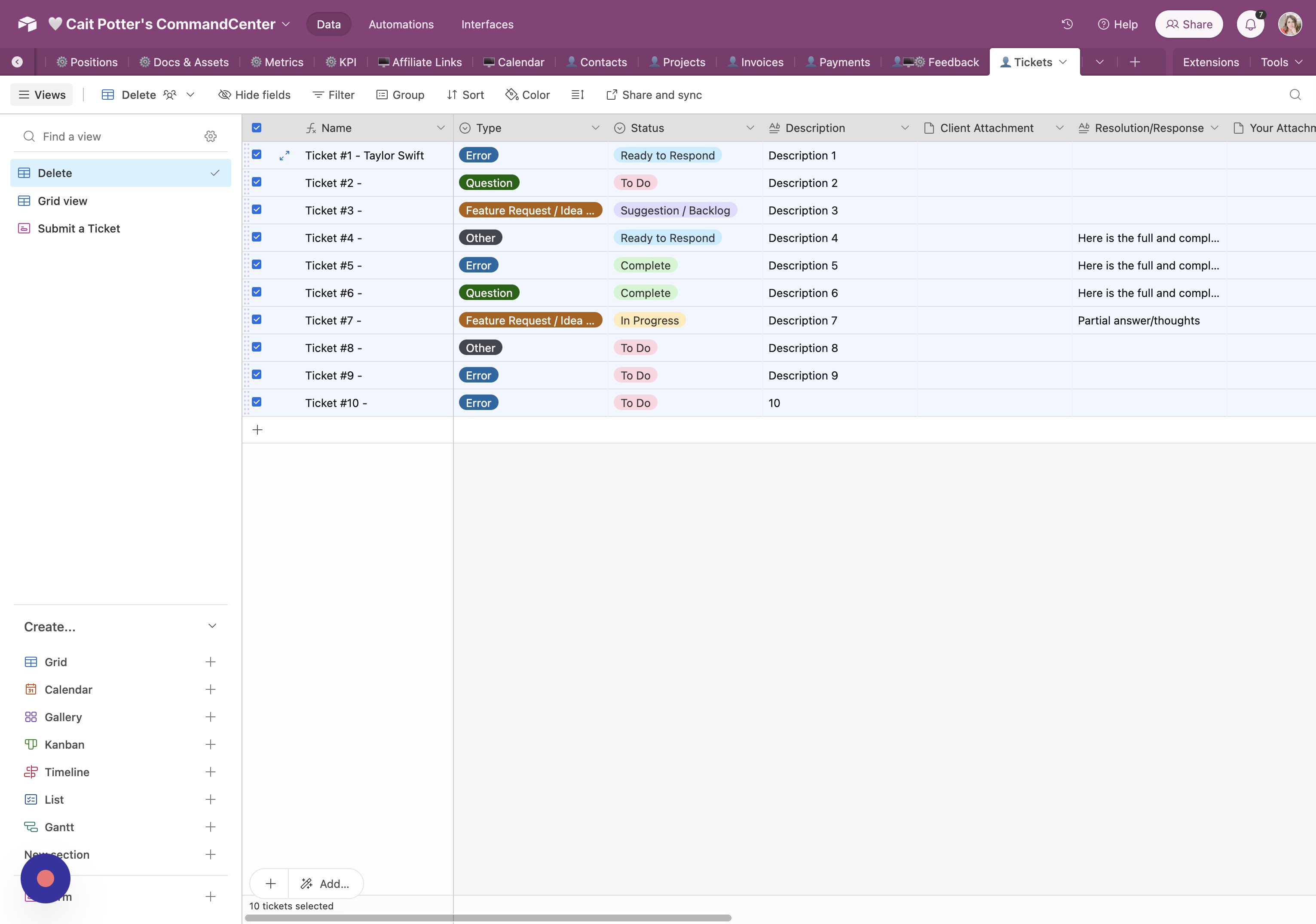
- Select All Records Click the checkbox in the header row to select all records, or select rows individually as needed.
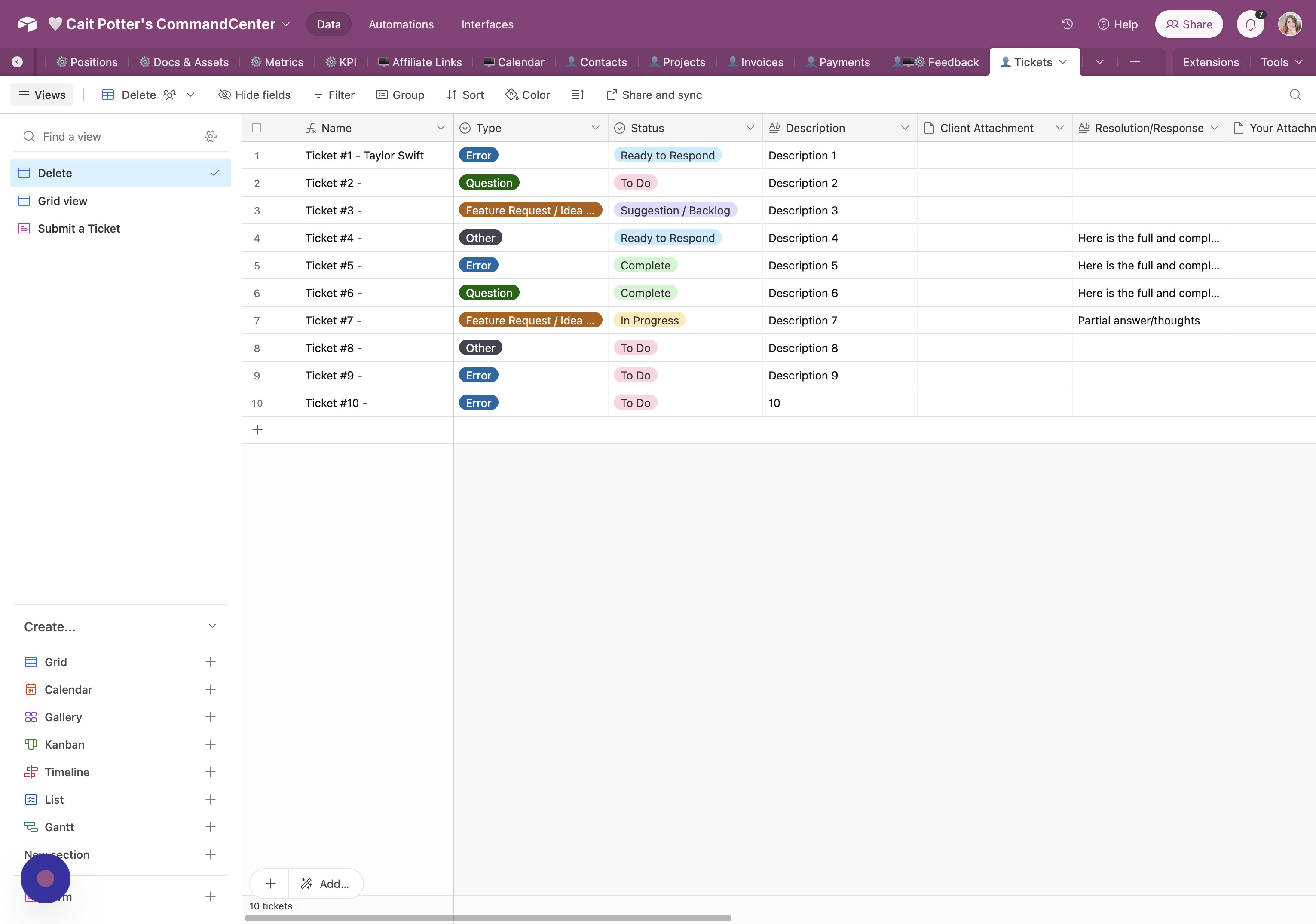
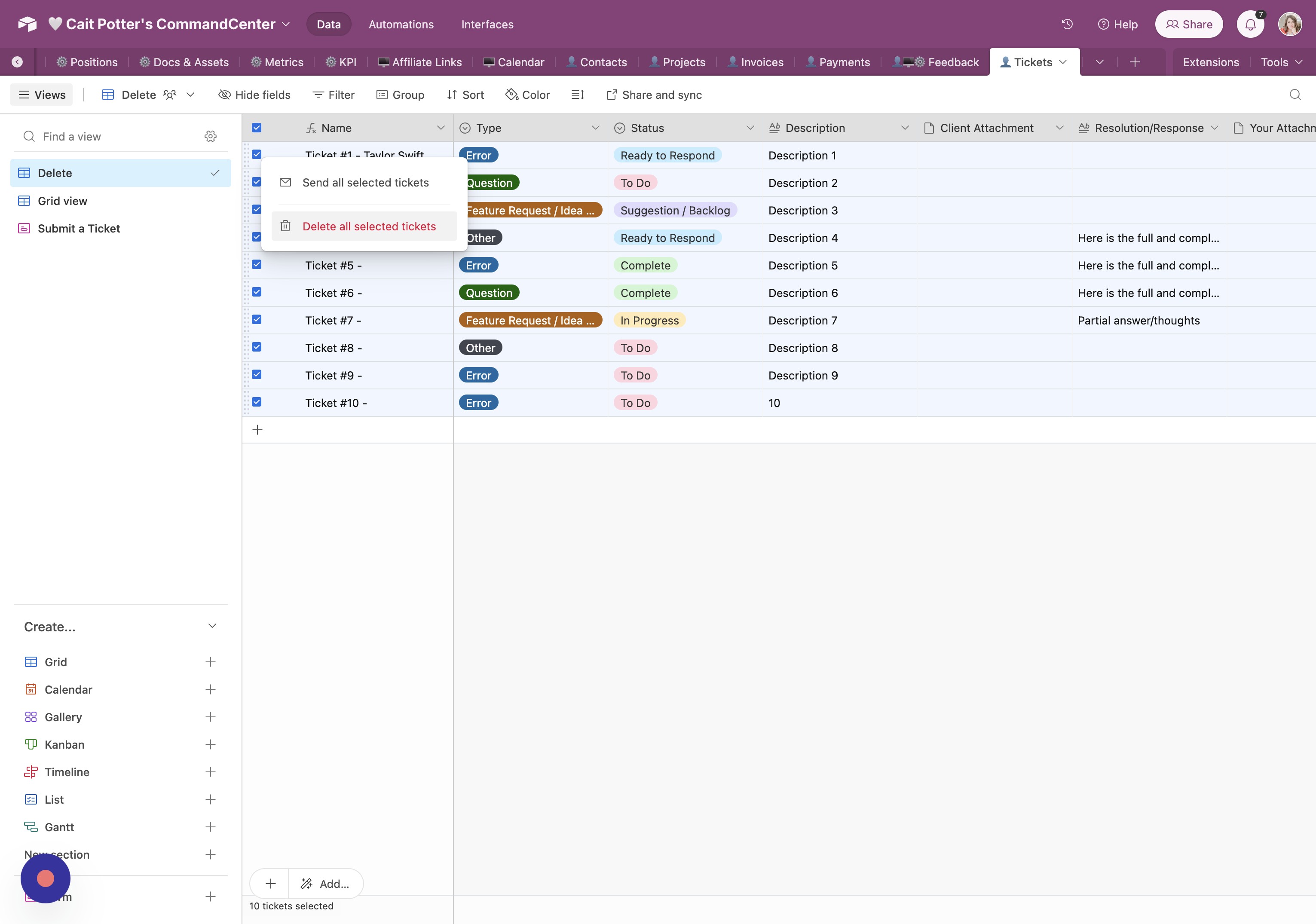
- Open Context Menu Right-click one of the selected checkboxes (not the top header checkbox).
- Delete Selected Records Click "Delete all selected".
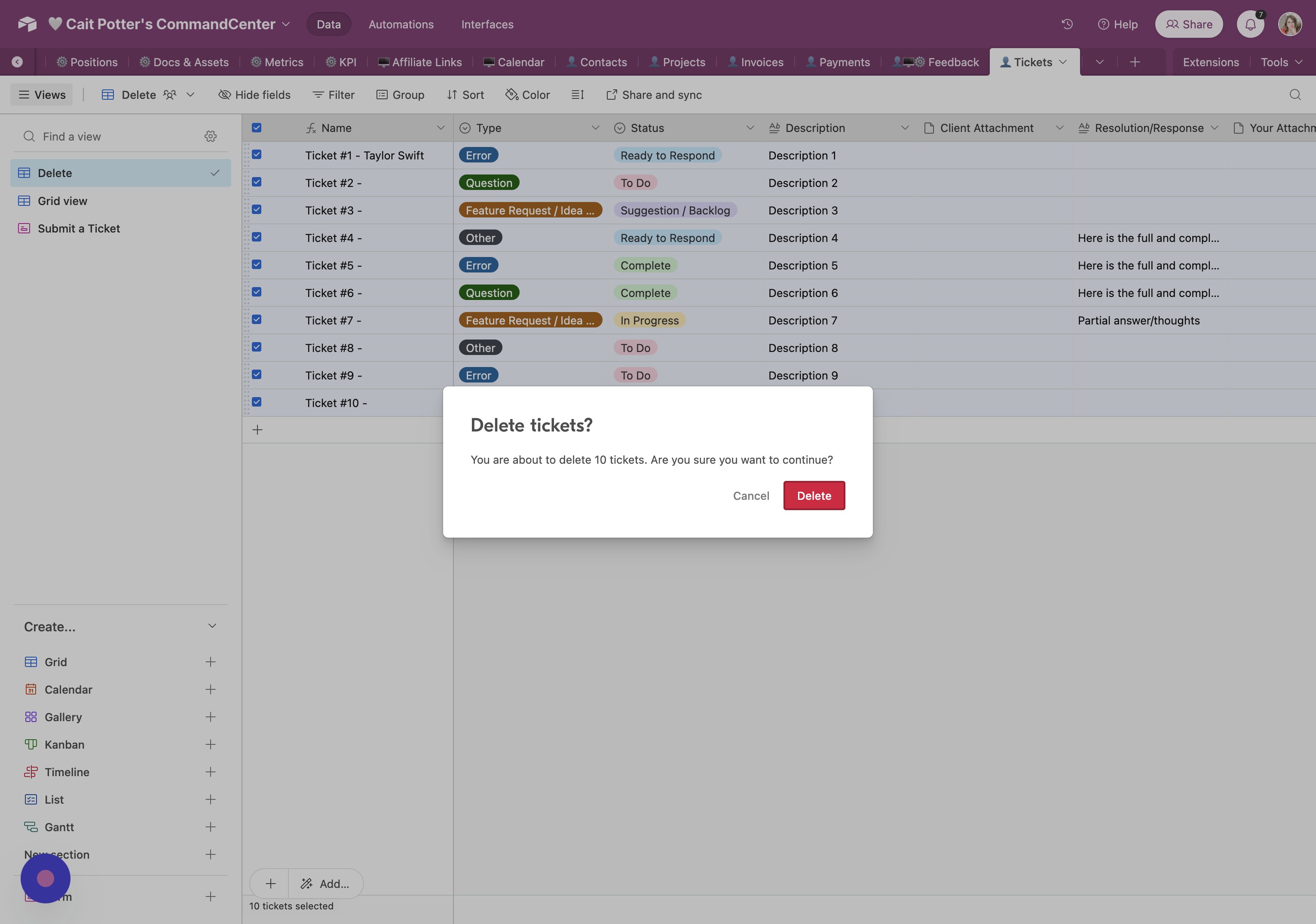
- Confirm Deletion Click "Delete" to confirm.
- Repeat Across Tabs Repeat this process for every tab (except Directions) through Tickets.
Did this answer your question?
Thanks for the feedback
There was a problem submitting your feedback. Please try again later.
No results found
