Unpublish Page or Interface
- Open the Target Page Navigate to the page or interface you want to hide.
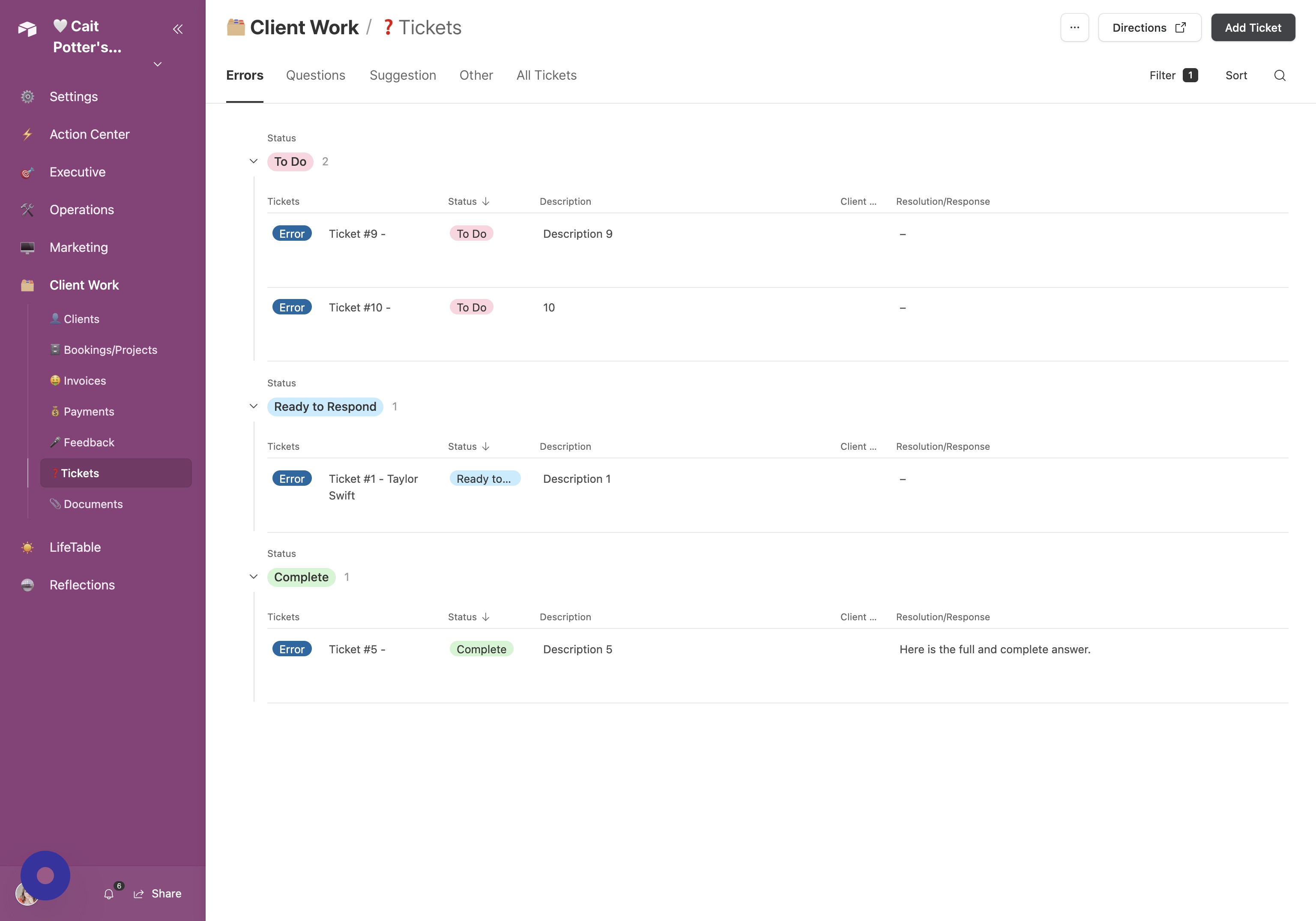
- Expand Command Center Options Click the arrow next to your Command Center title.
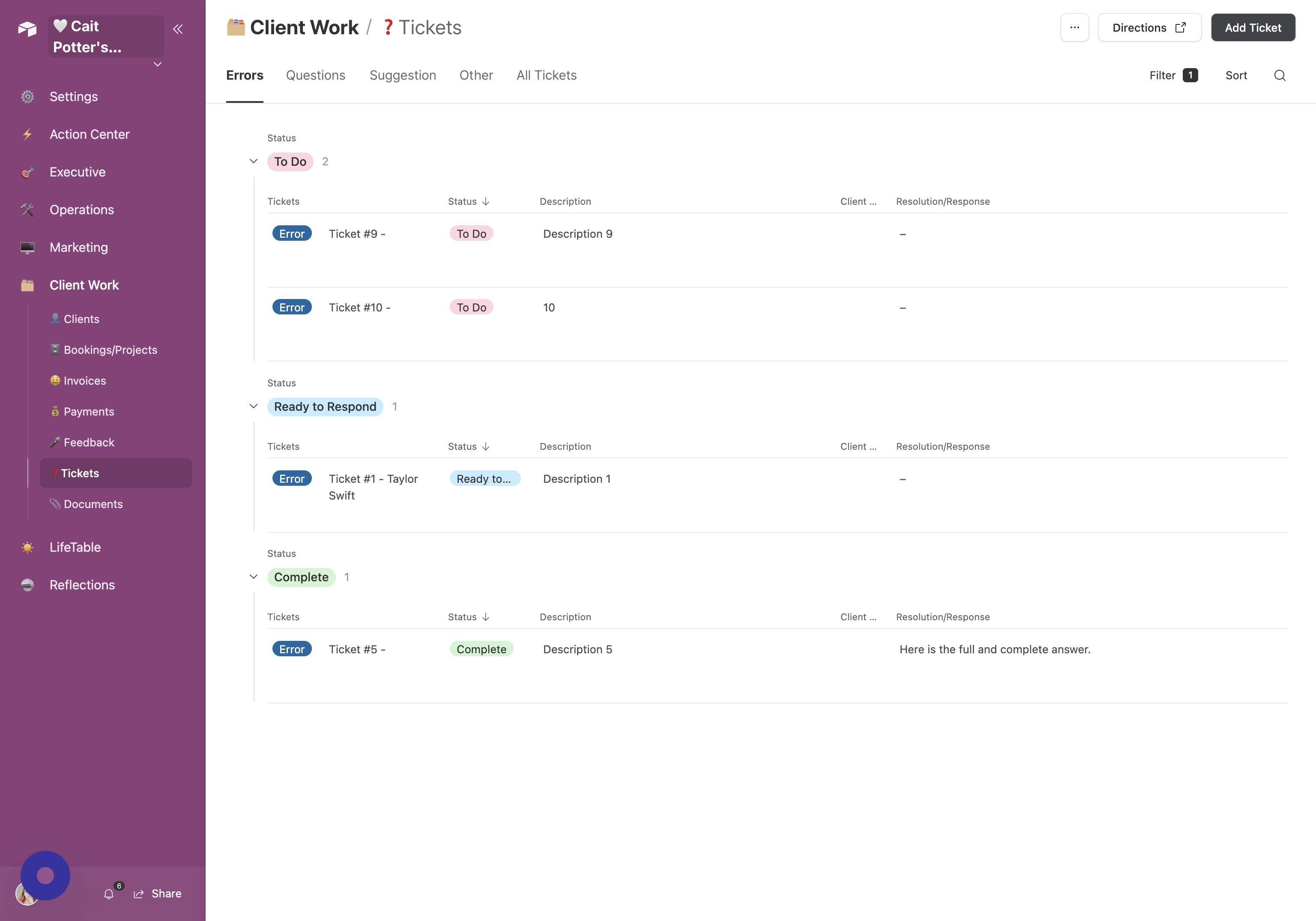
- Enter Edit Mode Click Edit.
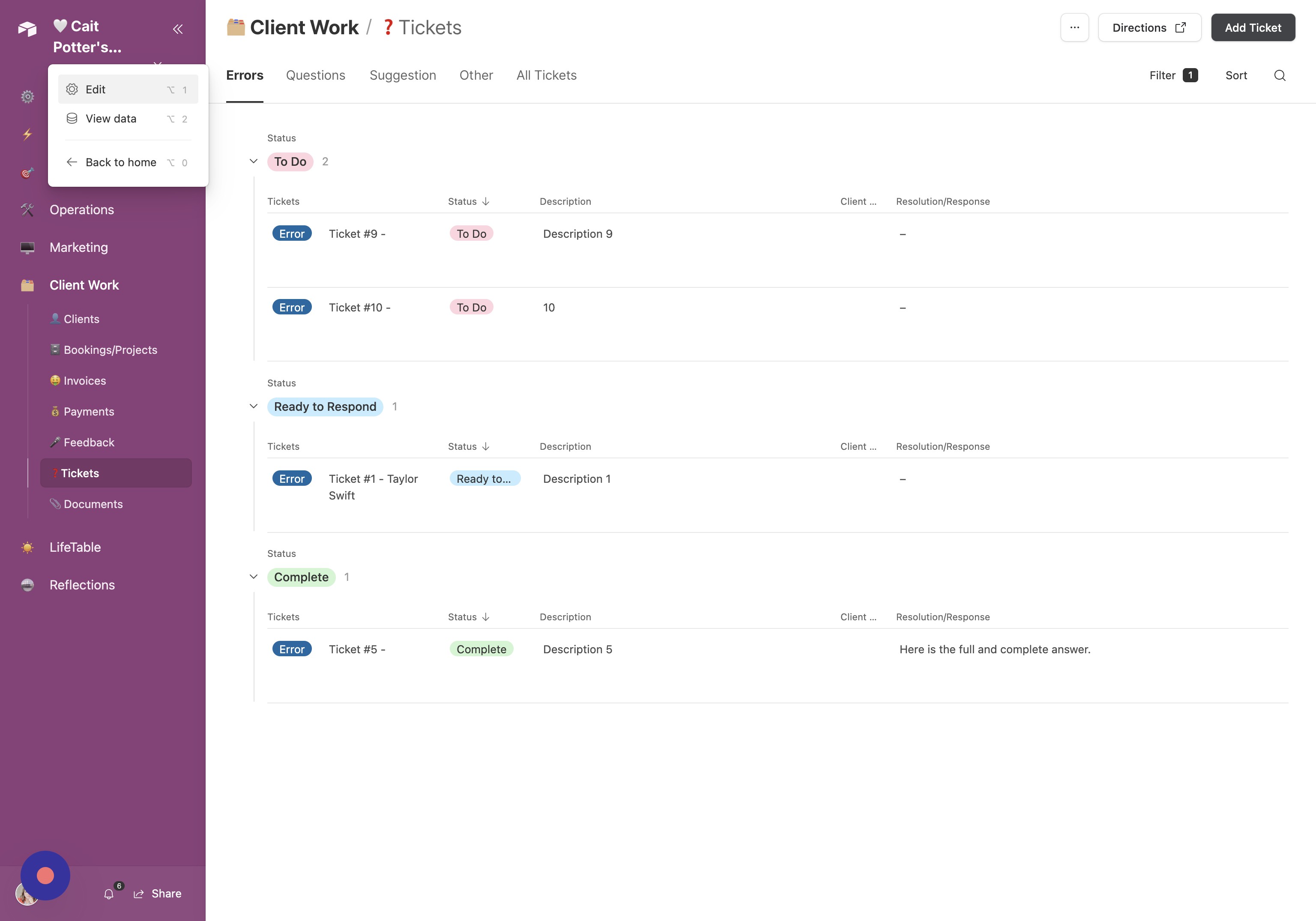
- Open Pages Panel If the pages list is not visible on the left, click Pages.
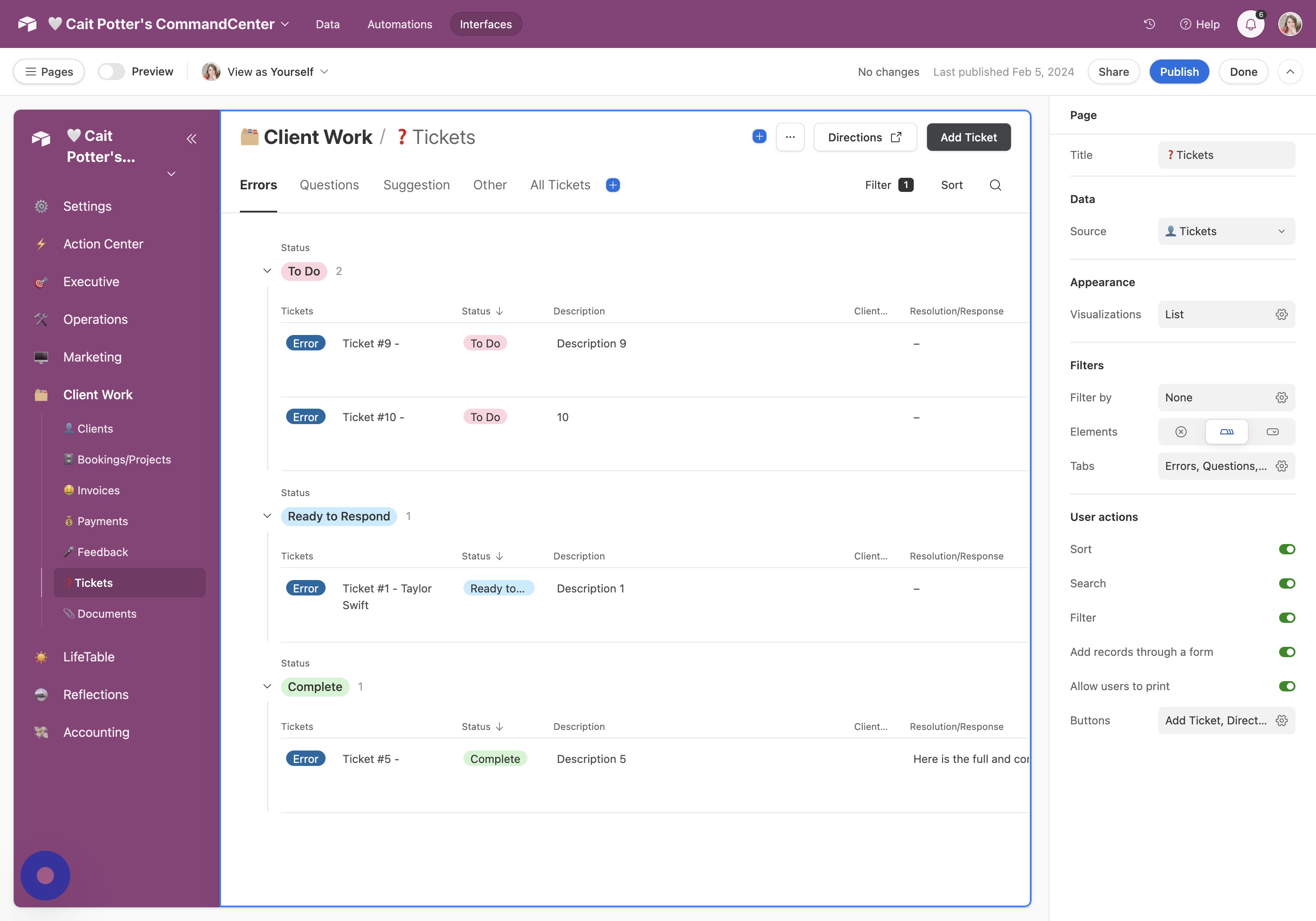
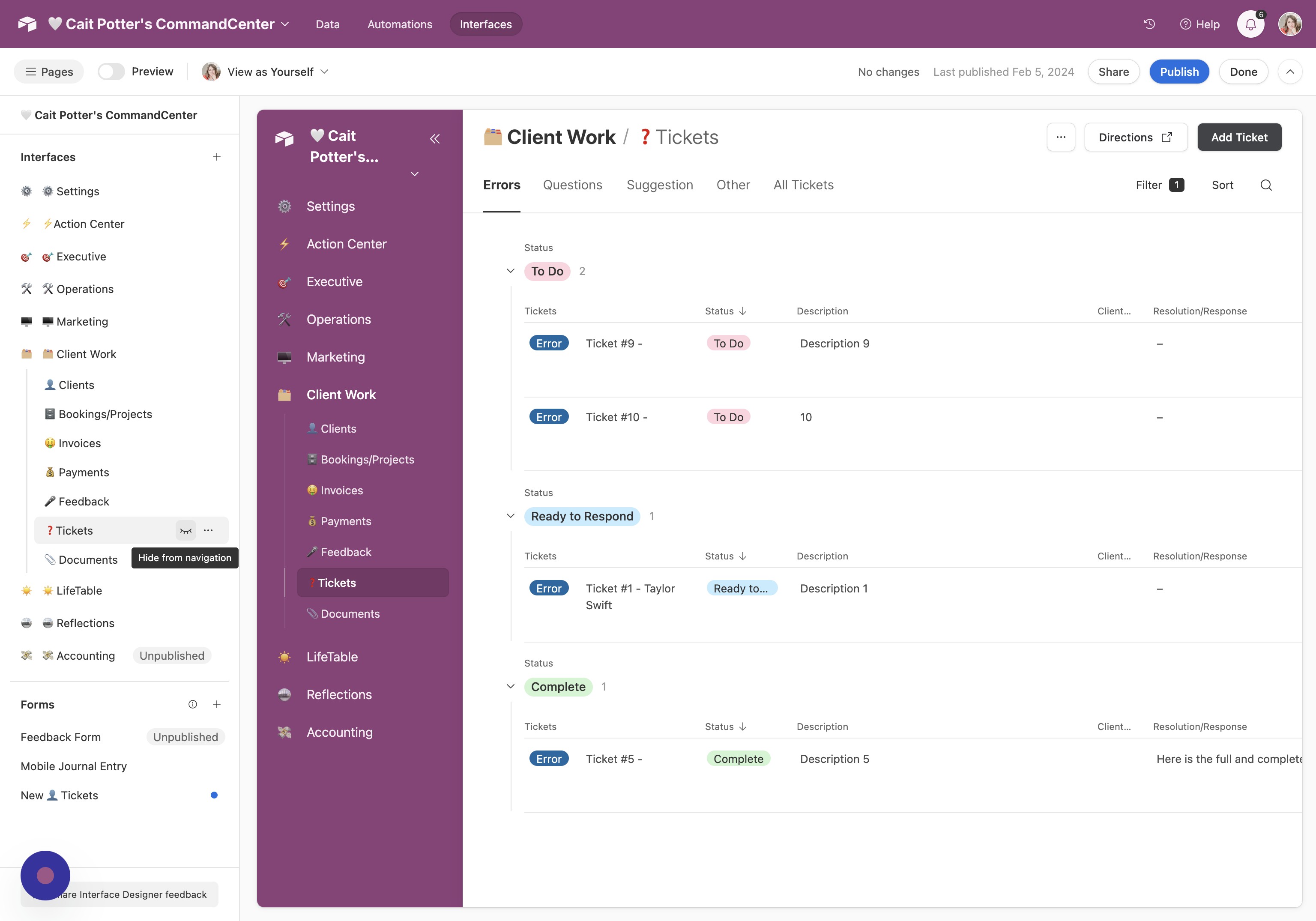
- Hide the Page Locate the page and click the eye icon to hide it.
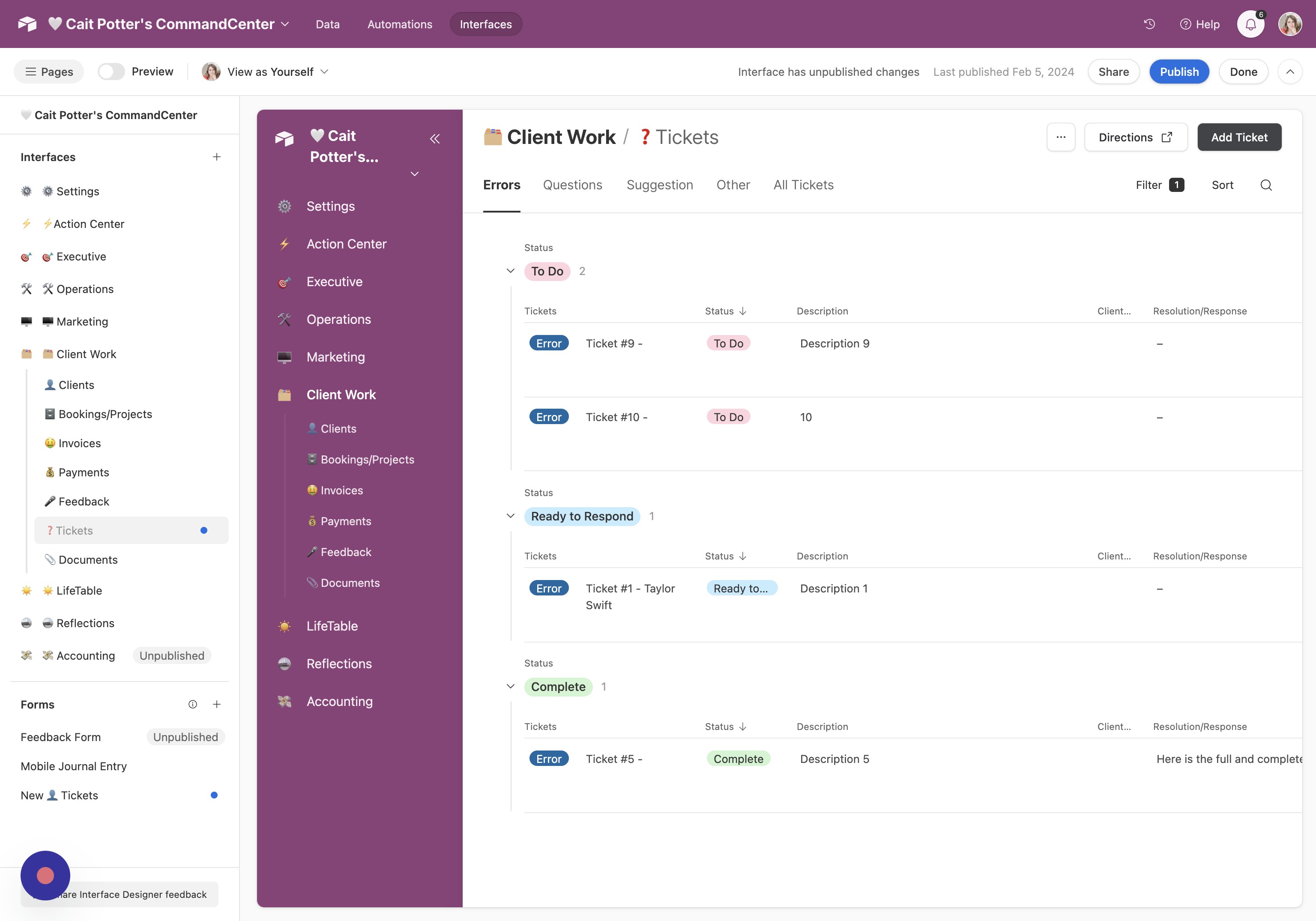
- Publish Changes Click Publish.
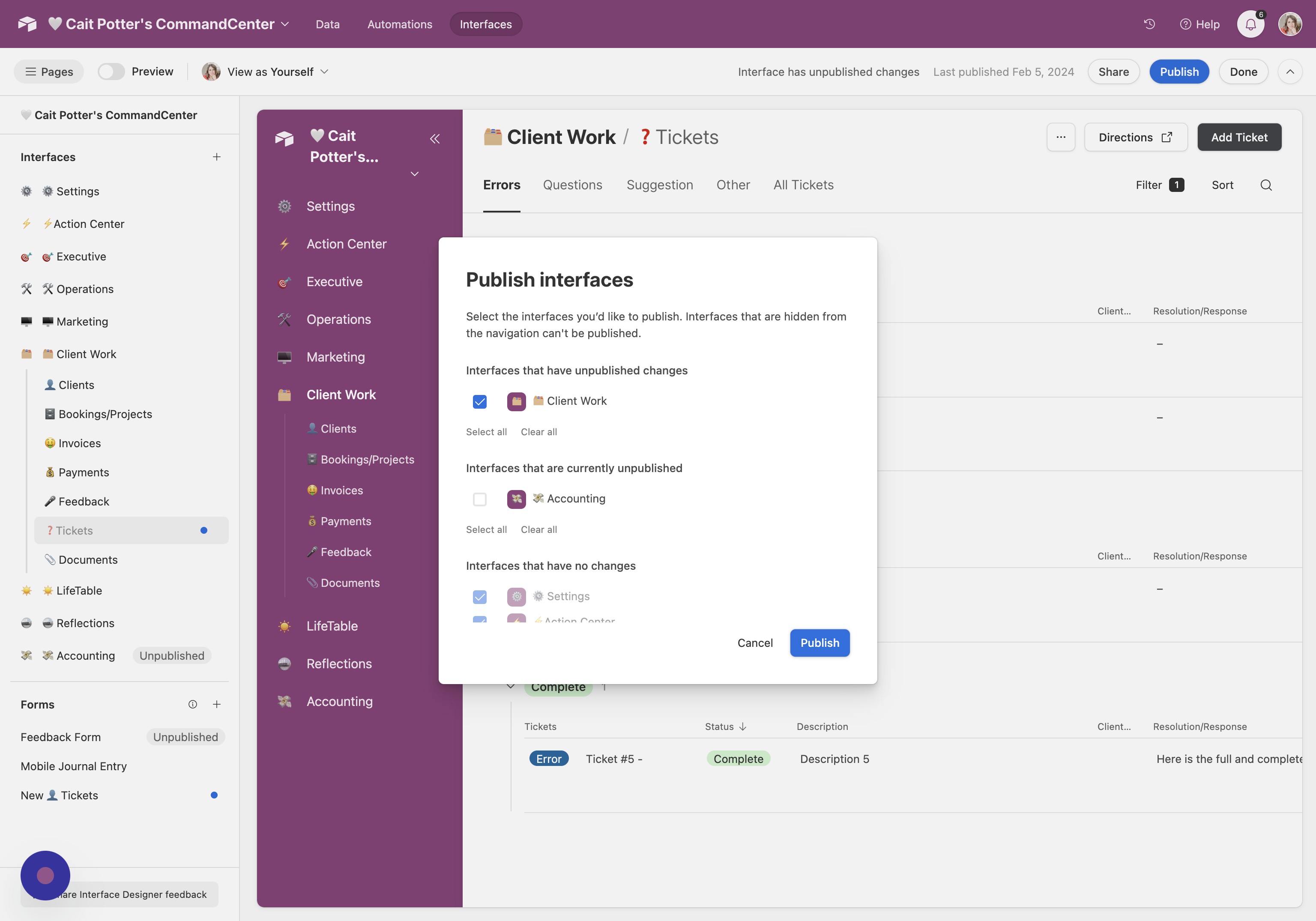
- Confirm and Publish Interface Ensure the correct interface is selected, then click Publish again.
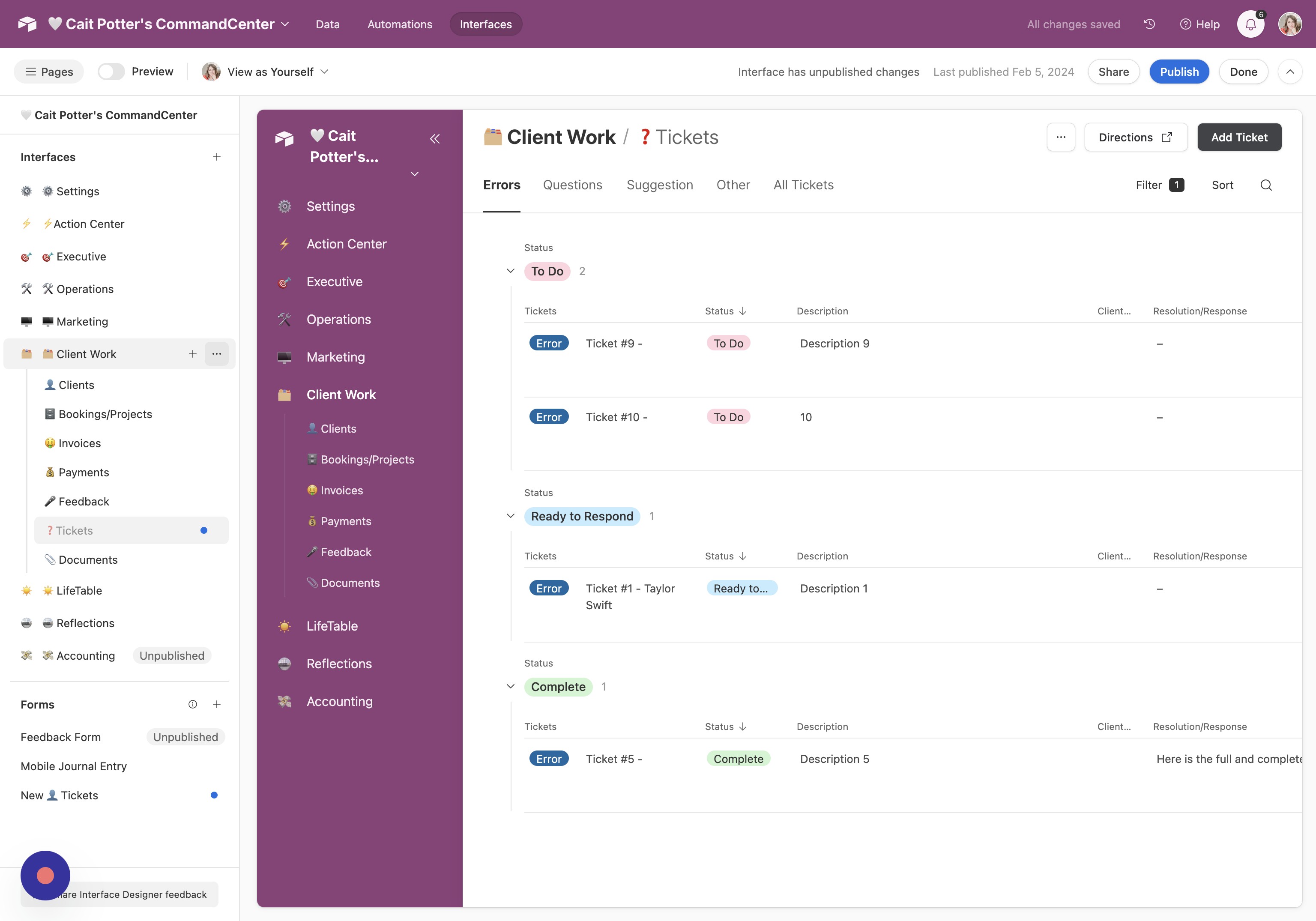
- Open Interface Menu Locate the interface you want to unpublish and click the three-dot menu next to the title.
Did this answer your question?
Thanks for the feedback
There was a problem submitting your feedback. Please try again later.
No results found
